Build your own
Combine 7 signal methods with trend and chop filters, sessions, trade limits and exits, and tune every setting. Nothing is hidden in a black box.
Build your strategy. Change it when the market does.
A fixed-strategy EA trades the same rules whatever the market does. FCC_EA is an MT5 Expert Advisor, a trading bot you set up yourself: build your own strategy from 7 signal methods, filters, sessions and exits, change it whenever conditions change, and run different strategies on different symbols at once.
Free backtest: every feature in the MT5 Strategy Tester, no card. Backtest results depend on your broker’s data and don’t guarantee future results.
A fixed-strategy EA is tuned to the market it was built on. When conditions change, it keeps trading the same way, and all you can do is switch it off or buy another EA. FCC_EA gives you the building blocks instead.
Combine 7 signal methods with trend and chop filters, sessions, trade limits and exits, and tune every setting. Nothing is hidden in a black box.
Market turned sideways or the session lost its range? Switch the method, tighten the filters or change the exits. Same EA, same license, no new EA to buy.
Different strategies on different charts and symbols at the same time, on up to 5 MT5 accounts.
Backtest every feature free in the MT5 Strategy Tester before you buy, and again after each change.
Free backtest: every feature in the MT5 Strategy Tester, no card. Backtest results depend on your broker’s data and don’t guarantee future results.
Changing a strategy doesn’t remove trading risk: trading leveraged products carries a high risk of loss.
FCC_EA is three tools in one: an Expert Advisor (a trading bot) that trades your rules automatically, a Trading Panel for one-click manual trades, and the indicators behind them, drawn right on your chart. Let the EA trade for you, take trades yourself from the panel, or do both — the indicators are on your chart either way, and one engine manages every position.
The Expert Advisor itself: seven signal methods with filters and a trading schedule, plus a management engine for hedging, grid, pyramiding, partial close, breakeven and trailing.
Signal methodsTrade by hand from the chart: a Quick mode next to the EA’s own trading, and a Full manual mode with breakeven, trailing, grid and partial close at your fingertips — plus the PLAN tool.
Trading PanelMoving averages, TMA-Bands, VWAP with deviation bands, pivots, range and liquidity levels, order and rejection blocks, FVGs and IFVGs — the same levels the signals use, drawn on your chart.
IndicatorsPick the method that matches how you trade today, and switch or combine methods when the market changes. Every method plugs into the same position-management core, so stops, hedging and exits work identically everywhere.
Trigger and slow EMA crosses with optional slope filter, confirmation bars and signal arrows on past candles, each with its entry, stop and target lines.
Learn moreBand breakouts, fast/slow band crosses, EMA-to-band crosses, or the retest of the fast band after a cross.
Learn moreVIDYA or EMA crosses of the TMA, or rejection candles at the edges of TMA-Bands for mean-reversion entries.
Learn moreSession-anchored VWAP with ±1/2/3σ bands: touch, reclaim, EMA-cross or IFVG triggers on the line or any band.
Learn moreMain pivots (PP, R1–R4, S1–S4) or mid-pivots with touch or reclaim triggers, chosen level by level.
Learn moreTwo configurable time ranges per day with cross-out, cross-in or both — plus failed-breakout exits.
Learn moreSwing, previous-day/week and session highs & lows, order blocks and rejection blocks — each on the low side, the high side or both. Enter on touch, on reclaim after the sweep, or on an inverted FVG from up to three timeframes.
Learn moreLayer trend, chop, pivot, VWAP, slope and spread filters over any method to skip low-quality setups.
FiltersFCC_EA is in active development — new signal methods, indicators and features are added regularly and come to every plan. Is there a method you’d like automated? Tell us about it: we read every request and build the ones that fit.
FCC_EA’s core handles what happens after the entry — for the EA’s trades and your manual ones alike: hedging, scaling, protection and exits, with hard limits you define.
If price moves against you, FCC_EA arms opposite orders at a hedge-zone distance and manages the basket as one. You set the lot multiplier, maximum cycles and a hard dollar stop — plus basket take-profit, breakeven protection, trailing and partial close at breakeven. A failed-break reset cancels a cycle when the break reverses back into the zone.
Two fully independent position slots, each with its own hedge, grid, partials, breakeven, trailing and take-profit — so a new signal never tramples a running trade.
Add to losers with a grid or to winners with a pyramid — max orders, minimum distance, lot and distance multipliers, one order per candle.
Move to breakeven at a set distance, then trail by points or along the fast/slow SMMA band on any timeframe.
Bank part of the position at a set distance and let the rest run, with a visible partial-close line on the chart.
Tracks your daily result in money or percent from a reset hour you choose, warns you before your limit, and at a daily profit target or loss limit closes the trades and locks trading until the daily reset.
Trend, chop, pivot and VWAP filters, max price distance, and a self-scaling spread filter that skips trades when spreads blow out.
Trade days, session hours, two break windows, a News Filter around the releases you list, a daily close-all time, max trades per day and a pause after a loss.
Prefer to pull the trigger yourself? Open the Trading Panel next to the EA’s auto trading, or switch to manual mode for the full panel — either way the same engine manages stops, hedging and exits for you.
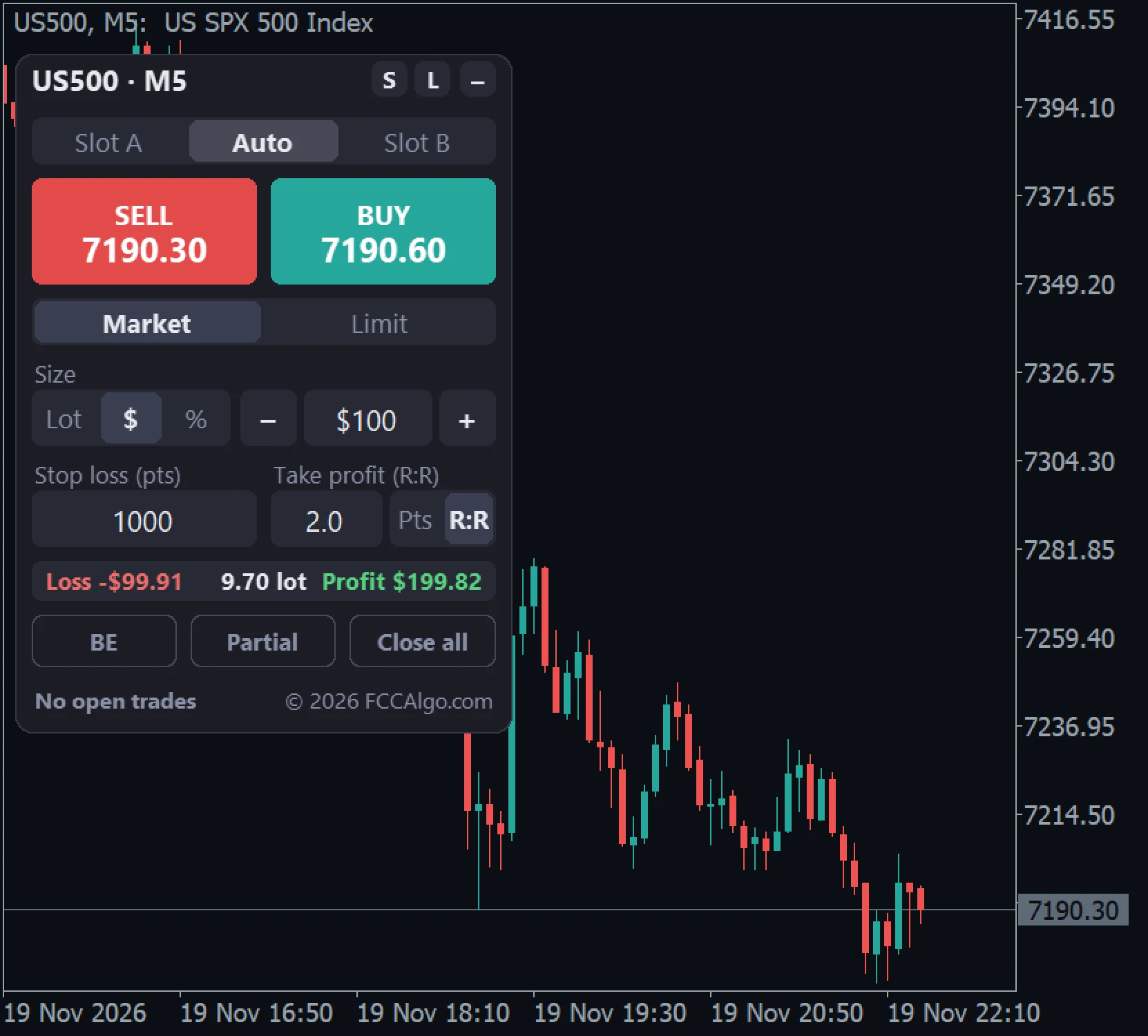
Every line, band and zone a signal uses can be drawn on your chart — so you know why a trade was taken or skipped, and you can use the same levels when you trade from the panel.
EMA trigger and slow lines, fast and slow SMMA bands (high/low) and VIDYA.
See it in useThe TMA line and TMA-Bands channel with reversal arrows at the edges.
See it in useSession-anchored VWAP with ±1, 2 and 3 standard-deviation bands.
See it in usePP, R1–R4 and S1–S4 or mid-pivots, with the trigger lines the signals use.
See it in useHigh and low of two daily time ranges for breakout trading.
See it in useSwing highs and lows, PDH/PDL, PWH/PWL, Asia, London and New York session ranges, your own time range (pre-market, for example), open-hour and custom levels.
See it in useOrder blocks and A+ rejection blocks confirmed by a fair value gap, on up to three timeframes each, drawn as zones until they are used or broken.
See it in useFair value gaps and inverted FVGs as boxes — on up to three timeframes, backfilled from history, with signal arrows.
See it in useTrade ICT concepts? FCC_EA does the waiting for you: it marks the liquidity and the order blocks, watches for the sweep and takes the entry on the reclaim or on the inverted FVG — only inside the trading windows you choose.
ICT refers to the Inner Circle Trader methodology. FCCAlgo is not affiliated with or endorsed by ICT.
Liquidity levels, sweeps, FVG and IFVG entries, order blocks, rejection blocks and killzones — automated.
ExploreTwo daily ranges, EMA-confirmed breakouts and failed-breakout trades, in your time zone.
ExploreSession VWAP with ±1/2/3σ bands: touch, reclaim, EMA-cross and IFVG entries.
ExploreDaily PP, R1–R4 and S1–S4 or mid-pivots, traded on the touch or the reclaim.
ExploreEMA crosses, SMMA band breakouts, crosses and retests, and VIDYA/TMA — with slope, trend and chop filters.
ExploreManual trading only? The one-click panel with the PLAN tool and trade management on its own — free, or Pro for $49 once.
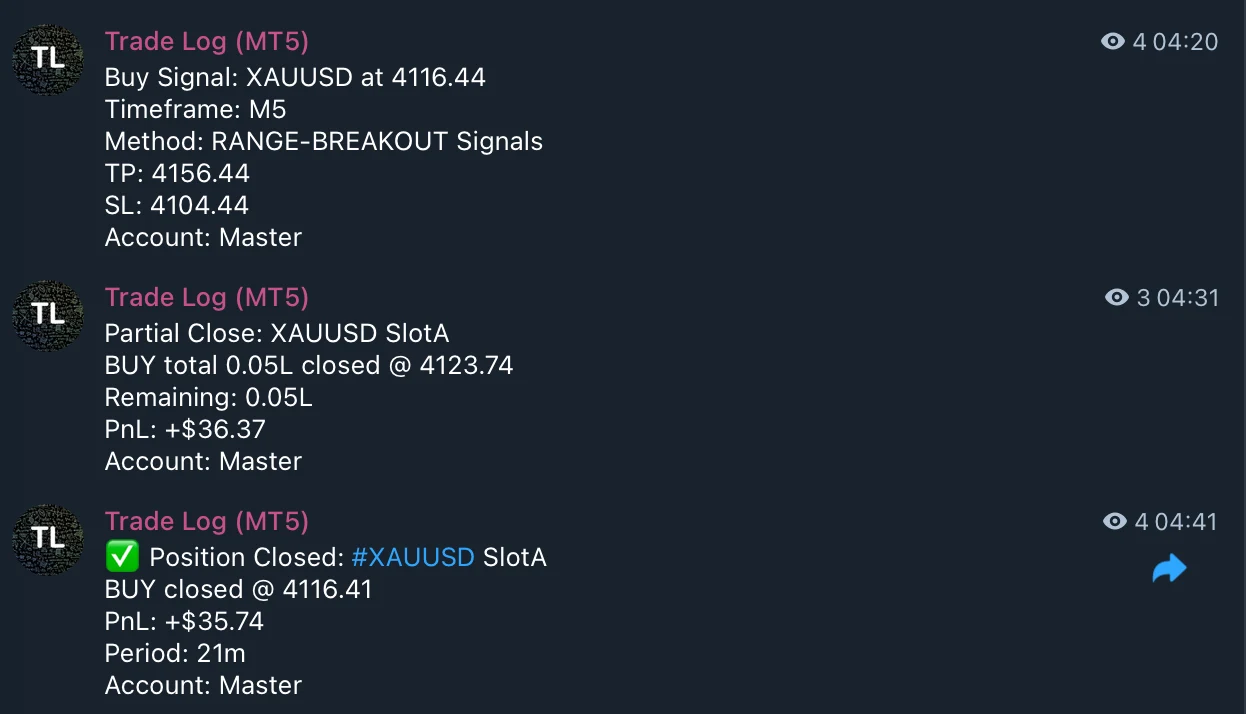
ExploreGet Telegram messages and MetaTrader push notifications for every event that matters, with your own custom tag on each alert.
No installers, no remote access to your account. You download one file and enter your license key.
Subscribe monthly or yearly, or pay once for a license with no expiry date. Your license key arrives by email and lives in the customer portal.
Grab the latest FCC_EA.ex5, and the setup guide from the portal, then copy the file into MetaTrader 5.
Drop the EA on a chart, paste your key, choose a method and your risk settings. It runs on any hedging account — demo, live or prop — on up to five accounts at once.
All plans unlock the full FCC_EA — the only difference is how you pay.
Full access with total flexibility. Ideal for getting to know FCC_EA.
Everything in Monthly at a lower effective price, renewed once a year.
Pay once and keep FCC_EA for good — no renewals, ever.
Trading leveraged products carries a high risk of loss. FCC_EA does not promise any trading results.
One license runs on up to five MT5 accounts at once — evaluations, funded and personal. Trading hours, trade limits, a pause after a loss, a News Filter, a daily profit / loss lockout and a daily close-all live in the settings, and futures accounts can follow through a trade copier.
One-click orders, the PLAN tool and trade management, without the signals.
Any broker that offers MetaTrader 5 with a hedging account — demo, live or prop-firm. Netting (exchange-style) accounts are not supported: FCC_EA will refuse to start on them so it can never mismanage positions. See Requirements.
FCC_EA runs in MetaTrader 5 on a hedging account, usually with CFDs such as NAS100, US500 or XAUUSD. Many futures traders run it there and mirror its trades to their futures account — for example on Tradovate — with a trade copier. The copier maps each symbol to its contract (NAS100 → NQ / MNQ, US500 → ES / MES, XAUUSD → GC / MGC) and converts the size, so futures prop-firm accounts can be traded the same way.
Rules for automation and copiers differ a lot between firms and between evaluation and funded accounts — some ban trading from a VPS, some require the strategy to be your own. Check your firm’s current rules before you connect a copier. FCCAlgo does not provide the copier. More on futures prop firms.
Futures accounts are netted, so leave hedge mode and the second slot off on any account you copy — opposite positions can’t be mirrored, and many firms forbid them.
No. FCC_EA is built natively for MetaTrader 5 only.
Yes — up to 5 MT5 accounts can be active at the same time on one license. Multiple charts on the same account count as one. You can free up a slot from the customer portal. See Activate your license.
We can’t promise that, and nobody honestly can. Results depend on the market, your broker, your settings and your risk management. Trading leveraged products can lose you money. Always test settings on a demo account first and read the Risk Disclaimer.
Pick a plan on the Pricing page. Checkout is handled securely by Whop, and your license key arrives by email within a few minutes.
Build your first strategy and backtest it free, then start monthly and cancel anytime, or pay once. Prices exclude VAT.
Free backtest: every feature in the MT5 Strategy Tester, no card. Backtest results depend on your broker’s data and don’t guarantee future results.