Two position slots (A and B)
Available in FCC_EA
Not in the Trading Panel (Free or Pro).
FCC_EA keeps its positions in up to two independent slots. A slot is a group of positions that is managed together: one take profit, one grid, one hedge cycle, one alert when it closes.
| Slot A | Slot B | |
|---|---|---|
| Used | Always | Only with Hedge Signal Mode on |
| Magic number | Magic Number | Magic Number × 100 |
One slot (default)
With Hedge Signal Mode off, everything trades in slot A. An opposite signal closes the open positions and opens the new trade (Close on Reverse Signal), or is ignored if that is off. That happens whatever the result of the open trade, also at a loss.
Two slots: Hedge Signal Mode
With Use Hedge Signal Mode? on, an opposite signal against a position in loss does not close it: the old positions stay in their slot with a new take profit, and the new trade opens in the other slot. A position in profit is still closed and reversed as usual. How it decides, with an example: Hedge signal mode.
Hedge Signal Mode only decides where a new signal goes. Hedge Mode is the recovery sequence of opposite orders inside one slot. They can be used separately or together; a slot in an active hedge cycle is never touched by a new signal.
When both slots are busy
A third signal can only add to the slot that already trades in its direction, and only with Allow Multiple Positions on. Otherwise it is ignored.
In the Trading Panel and the alerts
- With Hedge Signal Mode on, the Trading Panel shows a selector A / Auto / B: which slot the buttons act on. Auto sends BUY orders to slot A and SELL orders to slot B.
- The info panel lists each slot's positions; alerts name the slot, for example
Position Closed: #EURUSD SlotB.
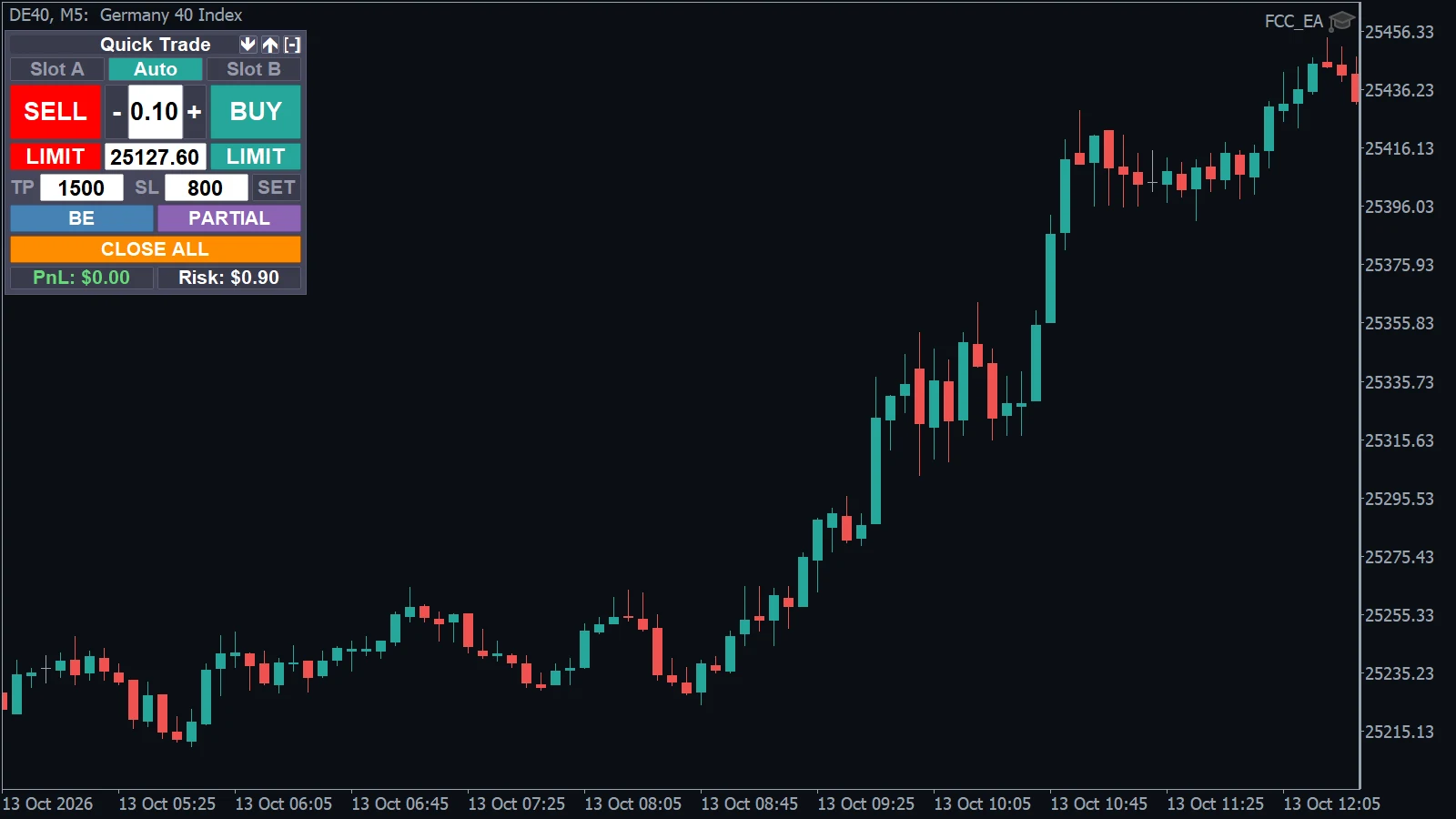
- Under the title: Slot A / Auto / Slot B, active only with Hedge Signal Mode on. Here Auto is selected.
Magic numbers
FCC_EA recognises its positions by the magic number and the symbol. If you run FCC_EA on two charts of the same symbol, give them magic numbers far enough apart that neither Magic Number nor Magic Number × 100 of one chart equals a number of the other (for example 1234 and 5678).
All settings for this feature Hedge Signal Mode settings → Other settings →
Backtest this setup free in the Strategy Tester, and adjust it whenever the market changes; every feature is in every plan. Backtest results depend on your broker's data and don't guarantee future results.
Check the FAQ or write to us. We reply within one business day.