Equity Guard: daily drawdown warning
Available in FCC_EA Trading Panel Pro
The Equity Guard watches your whole account and sends a warning when the equity falls a set amount or percentage below its level at the start of the day.
The Equity Guard does not close positions and does not stop trading. Your stop losses and your position size are what keep the loss of a day within a limit. If you trade under prop-firm rules, check your firm's rules for how it measures the daily loss.
What it measures
- Equity is the account balance plus the profit or loss of all open positions, as MetaTrader shows it. It counts every trade on the account: other charts, other EAs and your own manual trades too.
- The start-of-day level is taken once a day, at Equity Daily Reset Hour.
- When equity is at or below that level minus Equity Loss Limit, the warning is sent.
| Equity Loss Type | Equity Loss Limit | Start-of-day equity | Warning at |
|---|---|---|---|
| In currency ($) | 100 | 10,000 | 9,900 or lower |
| In percentage (%) | 5 | 10,000 | 9,500 or lower |
In currency means the account currency: 100 on a EUR account is 100 EUR.
The daily reset
Equity Daily Reset Hour (0-23) is the hour when the new start-of-day level is taken, in the time zone set in Time Zone of All Time Inputs (see Input time zone). Set it to the hour your day should start, for example the hour your prop firm resets its daily loss.
- The level is shared by every FCC_EA chart on the same account. Use the same reset hour on all of them.
- After a restart of the EA or the terminal, FCC_EA keeps the level of the current day; it does not take a new one.
- A deposit or withdrawal during the day changes the equity too, and can trigger the warning.
The warning
The warning goes out as a push notification and / or a Telegram message, following the switches in ALERTS SETTINGS. Set up at least one of them first: Telegram alerts, Push notifications. While equity stays below the limit, the warning is repeated at most every Equity Alert Interval minutes.
On the chart
While the guard is on, a label at the top of the chart shows Equity DD: with the start-of-day level and the change since then, for example 10000.00 (-1.25%), in green at or above the level and red below it. The Experts tab logs each new daily level with an Equity Guard: line.
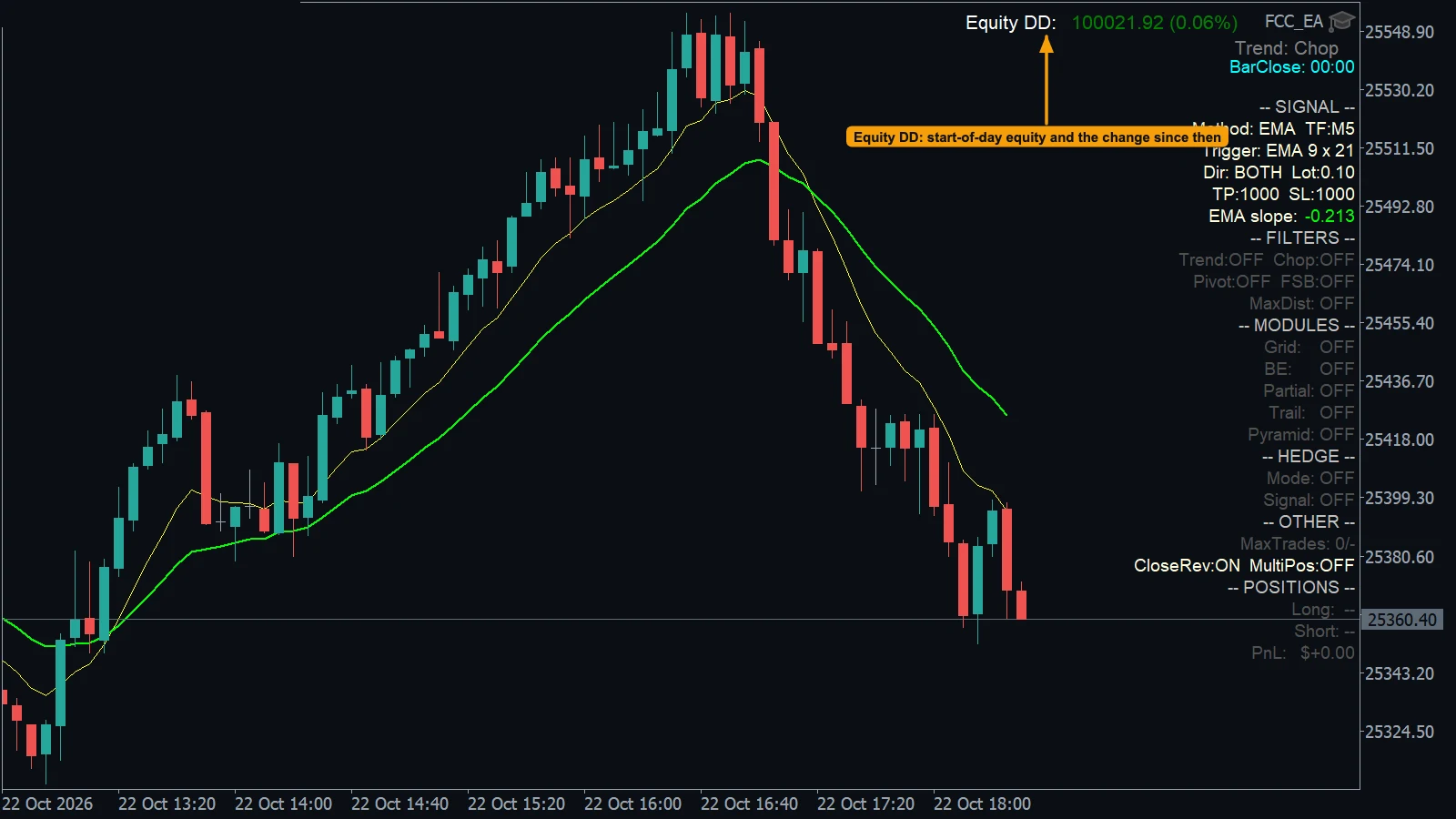
- Equity DD: the start-of-day equity of the account and the change since then, green while equity is at or above that level.
Related tools
- Loss Pause Filter (OTHER SETTINGS) pauses new signals for a number of minutes after a losing trade. See Other Settings.
- Close All Trades at closes the positions of FCC_EA at a set time each day. See Close all at a set time.
All settings for this feature Equity Guard settings →
Backtest this setup free in the Strategy Tester, and adjust it whenever the market changes; every feature is in every plan. Backtest results depend on your broker's data and don't guarantee future results.
Check the FAQ or write to us. We reply within one business day.