How to load and save a set file
A set file (.set) stores all FCC_EA settings in one file. Use it to copy settings to another chart, another terminal or a VPS, and to keep versions of your setup.
Save your settings
- Open the FCC_EA settings on the chart (F7) and go to the Inputs tab.
- Click Save and give the file a name that says what it is, for example
US500 M5 VWAP.set.
MetaTrader stores it in the MQL5\Presets folder of the terminal (File › Open Data Folder).
Load a set
- Attach FCC_EA to the chart (or press F7 on a chart where it runs).
- On the Inputs tab click Load and pick the file.
- Check the License Key and the time settings (see below), then click OK.
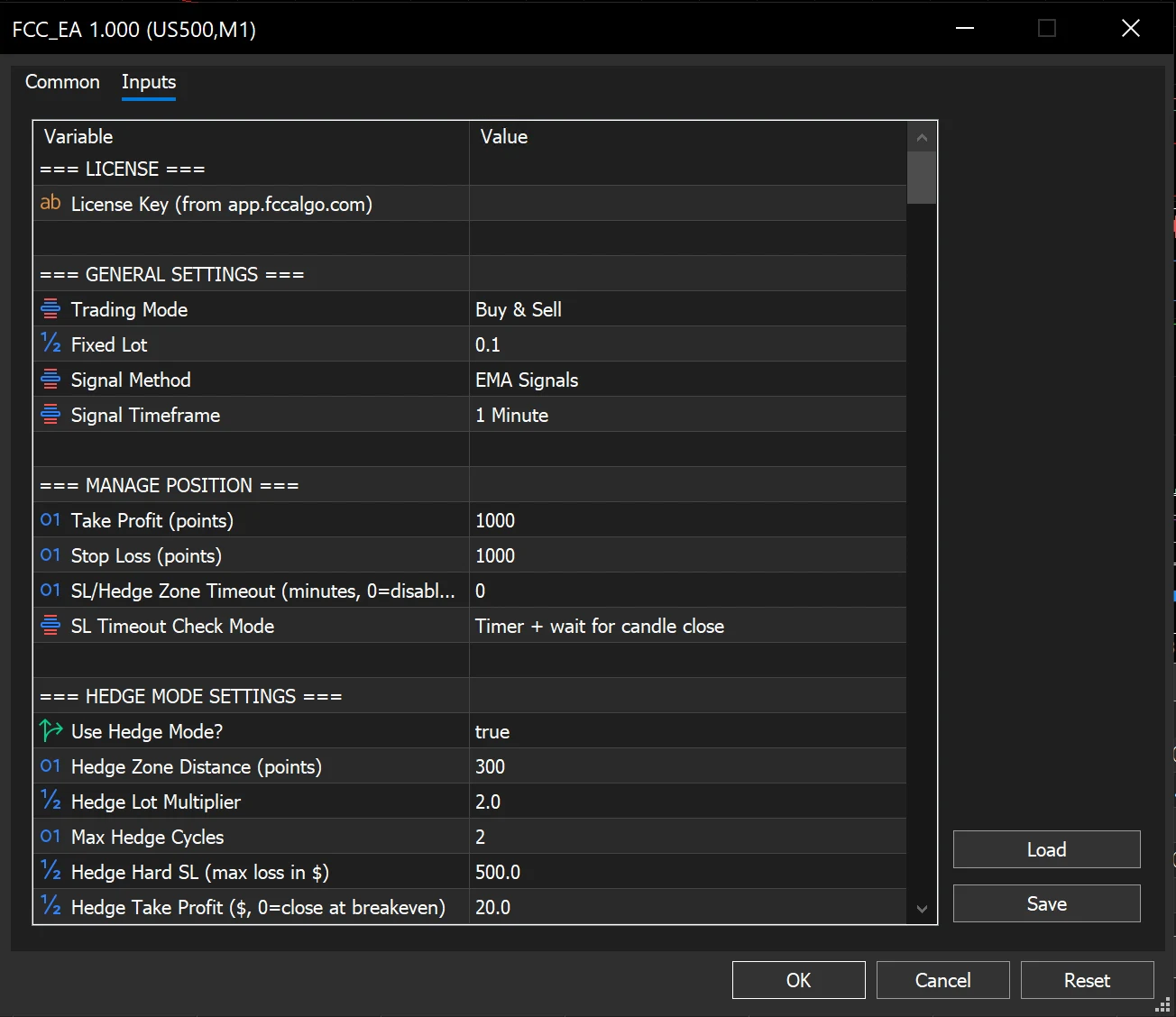
- The Inputs tab: Load and Save are on the right, under the list.
- The License Key row is left empty in this picture; yours shows your key.
Sharing sets
A set saved from a licensed FCC_EA contains your License Key. Before you send a set to someone, open it in a text editor and empty the LicenseKey= line. When you load a set from someone else, put your own key back before you click OK.
Also check before you use a set from someone else:
- Points and times may be for another broker; see Different broker? Points and server time.
- Lot (Fixed Lot), the hard stop in hedge mode (Hedge Hard SL) and the equity limit are in money terms of their account; adjust them to yours.
- Magic Number: if you run several charts on one symbol, give each its own.
In the Strategy Tester
On the Inputs tab of the Strategy Tester, right-click the list and choose Load to use a set for a backtest, or Save to keep the tested values. Without a license on the tester's account, trades are opened over the whole history except the last 7 days; see Activate your license.
Sets from an older FCC_EA version
MetaTrader ignores settings in a set that the current version no longer has and uses the default for new settings. After an update, load your set, check the sections mentioned in the release notes, and save it again.
All settings for this feature License settings →
Backtest this setup free in the Strategy Tester, and adjust it whenever the market changes; every feature is in every plan. Backtest results depend on your broker's data and don't guarantee future results.
Check the FAQ or write to us. We reply within one business day.