Lot size and risk per trade
FCC_EA opens every new trade from a signal with the same lot: Fixed Lot (GENERAL SETTINGS). It does not size trades by itself, so the lot is the most important risk setting you choose.
The risk of one trade
What a trade can lose is set by two numbers together: the lot and the stop loss distance.
Risk in money = lot × stop loss in points × value of one point for one lot
Example on EURUSD (5 digits), where one point of one lot is worth about $1:
| Fixed Lot | Stop loss | Risk |
|---|---|---|
| 0.01 | 1000 points | about $10 |
| 0.10 | 1000 points | about $100 |
| 0.10 | 500 points | about $50 |
On indices, metals and other symbols a point is worth a different amount, and it can differ between brokers. See points.
Read it on the chart
You do not have to calculate it by hand:
- The Risk line in the footer of the Trading Panel shows what the next trade would lose at its stop, from the lot and SL fields, and the real risk of open positions.
- The PLAN tool shows the stop and the target in points, money and percent of your balance.
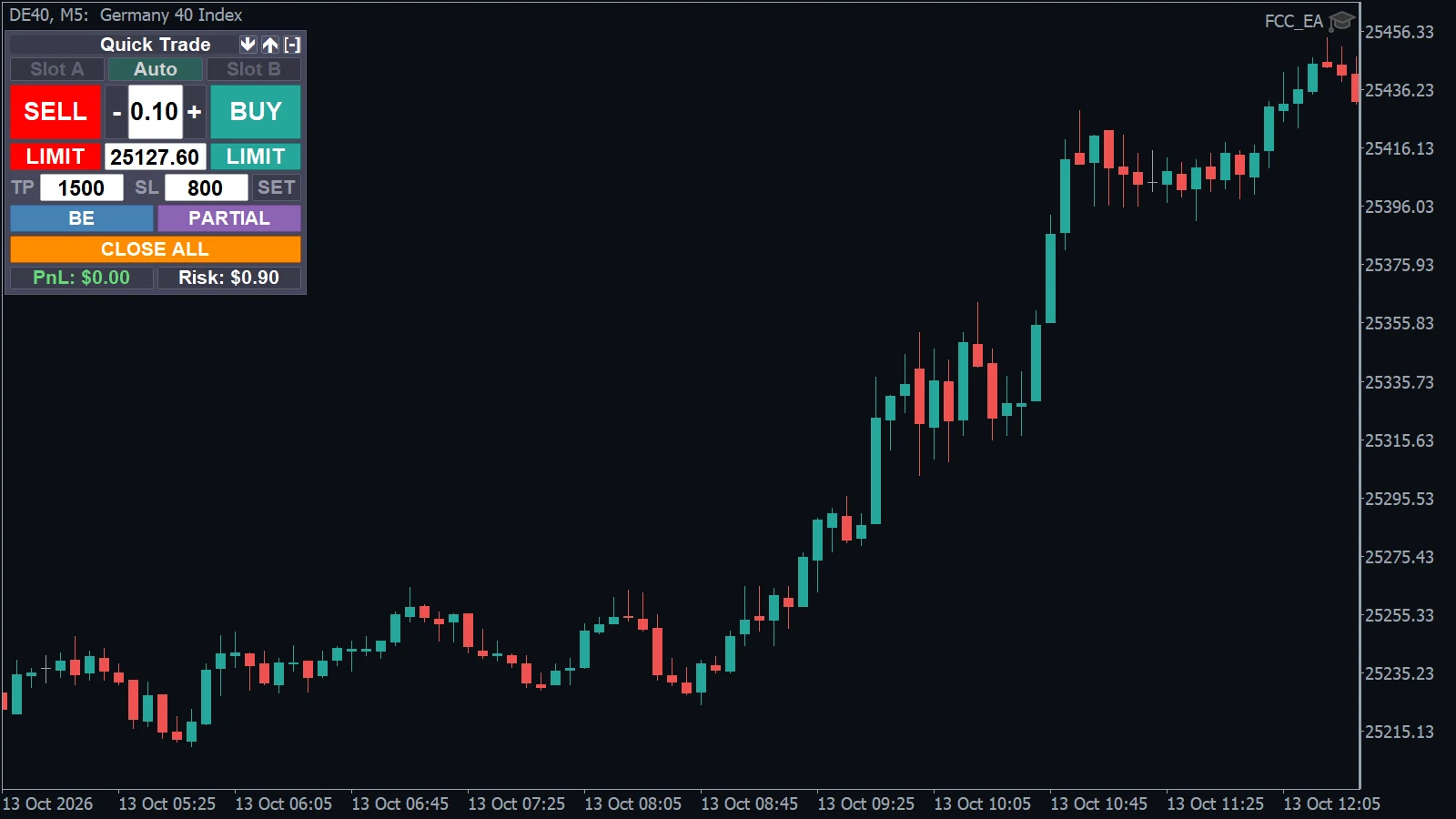
- Footer of the Trading Panel: Risk is what the next trade would lose at its stop, here 0.10 lot with an 800-point stop.
Set the lot and SL in the panel until the risk is an amount you accept, then use the same values for Fixed Lot and Stop Loss in the inputs.
Choosing the lot
- Decide first how much one losing trade may cost, as a small share of your account that you can afford to lose many times in a row.
- Then pick the lot that matches it with your stop loss.
- Several charts with FCC_EA on the same account add up: three charts that each risk $50 can lose $150 at once.
FCC_EA rounds the lot to your broker's lot step. The Experts tab says so, for example Fixed Lot 0.25 is not a valid volume (step 0.1, …) -> trading 0.3.
Grid and hedge multiply the risk
With these modules a trade can grow beyond Fixed Lot:
- Grid adds positions against the trade, with lots that grow with Grid Lot Martingale Multiplier. All positions share the stop of the first one, so the loss at the stop is much larger than one lot would lose. See the numbers in Grid.
- Hedge mode opens larger opposite positions every cycle (Hedge Lot Multiplier). The hard stop (Hedge Hard SL) is a fixed amount of money: set it for your lot size and change it whenever you change the lot. See Hedge mode explained.
- Pyramiding and add-on positions add lots in the direction of the trade.
Margin
Every open lot ties up margin. If the free margin runs out, the broker closes positions (a stop out), whatever FCC_EA's settings say. Check the margin level in the Trade tab, especially with grid and hedge mode, and lower the lot or the multipliers if it gets close.
A stop loss limits the loss in normal markets. Gaps and fast moves can fill it at a worse price. Trading leveraged products is risky; see the Risk Disclaimer.
All settings for this feature General settings → Manage Position settings → Grid settings → Hedge Mode settings →
Backtest this setup free in the Strategy Tester, and adjust it whenever the market changes; every feature is in every plan. Backtest results depend on your broker's data and don't guarantee future results.
Check the FAQ or write to us. We reply within one business day.