Pivots method
Pivot points are levels calculated each day from the previous day's high, low and close. Many traders watch them, so price often reacts there. FCC_EA uses the classic formula on the broker's server day:
- PP (pivot) = (high + low + close) ÷ 3
- R1–R4 above it (resistances), S1–S4 below it (supports)
- optional mid-pivots MR1–MR4 / MS1–MS4 halfway between them (Pivot Mode)
The method trades reversals: supports give BUY, resistances give SELL. The levels are recalculated at every new server day.
Triggers
Touch
Enter as soon as price reaches an enabled level, checked on every price change:
- BUY while price is at or below an enabled support (S1–S4 / MS1–MS4).
- SELL while price is at or above an enabled resistance.
At most one BUY and one SELL per candle of the Signal Timeframe. Set Max Price Distance (FILTERS) so a level that price has run far past does not keep triggering. Level Offset (RECLAIM SETTINGS) moves the trigger before the level: with 50 points, a BUY at S1 already comes 50 points above S1.
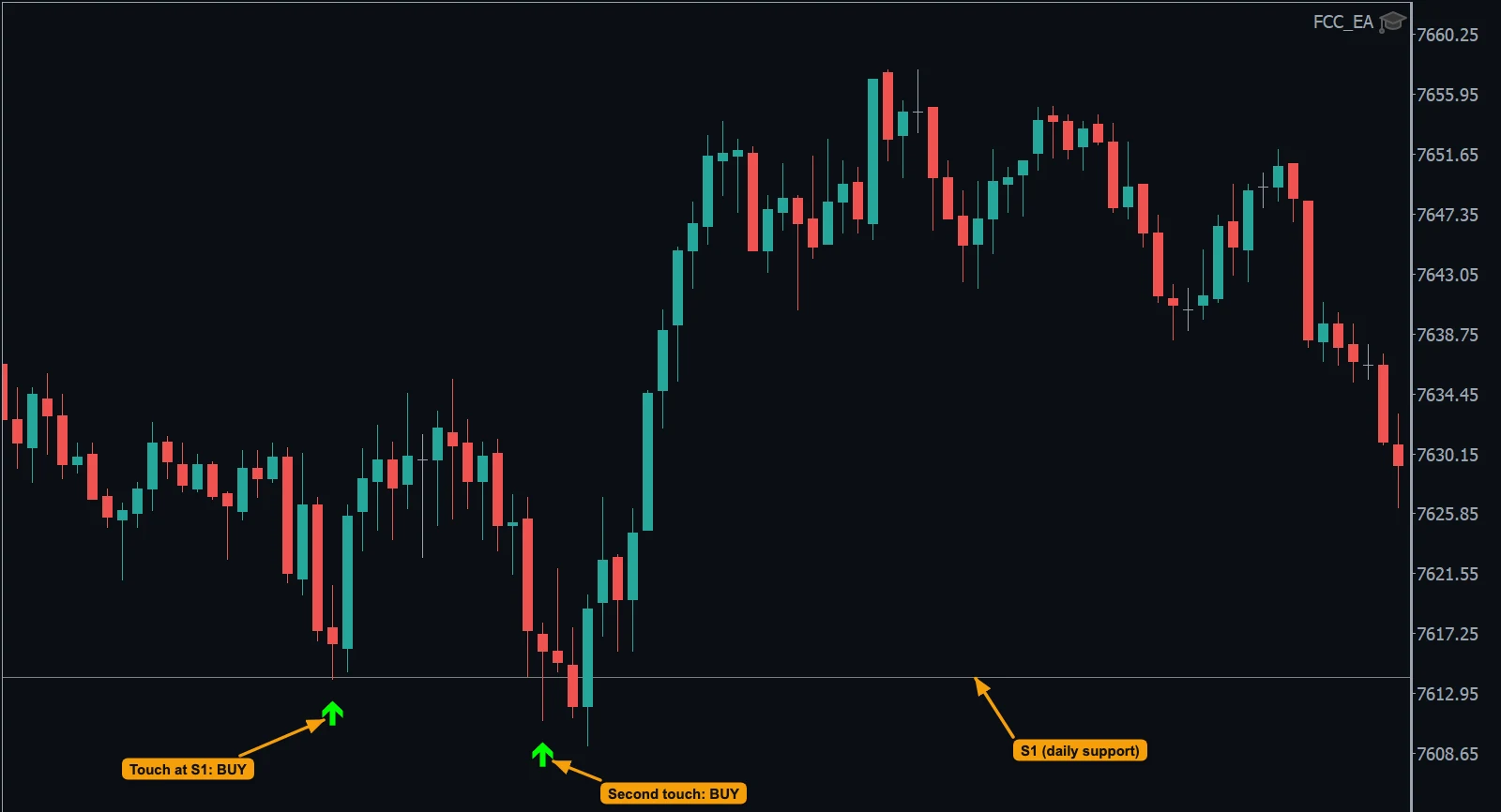
- S1, the daily support (grey line).
- Price touches S1: BUY.
- A second touch: BUY again. Price then rose about 40 points. Max Price Distance was set, so there were no BUYs while price was far from S1.
Reclaim
A two-step setup: price first breaks the level, then a candle closes back across it:
- S1 broken downward, then a close back above S1 (+ Reclaim Confirm Offset) = BUY.
- R1 broken upward, then a close back below R1 = SELL.
Breaking a deeper level (S2 after S1) leaves only the deeper one waiting. A broken level waits up to Reclaim Timeout - all Reclaim Triggers, and all levels are reset at the new day. See Reclaim Settings.
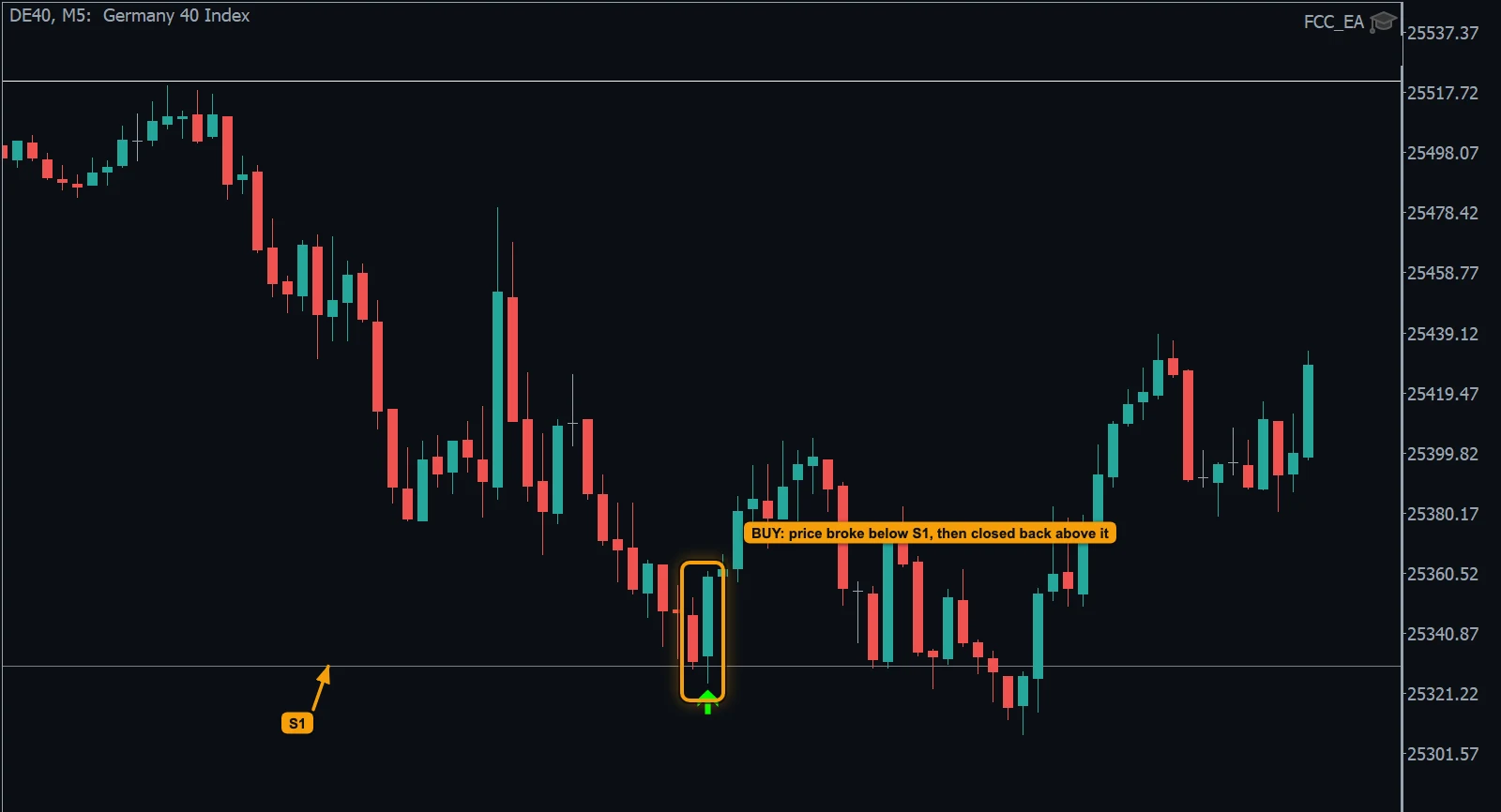
- Reclaim: one candle breaks below S1, the next closes back above it: BUY.
- The S1 level.
The pivot (PP)
The PP sits in the middle of the day's range and works both ways: Use PP Signals? gives BUY at or below it and SELL at or above it. Use PP With EMA Side? keeps only one direction: BUY while the trigger EMA is above the PP, SELL while it is below.
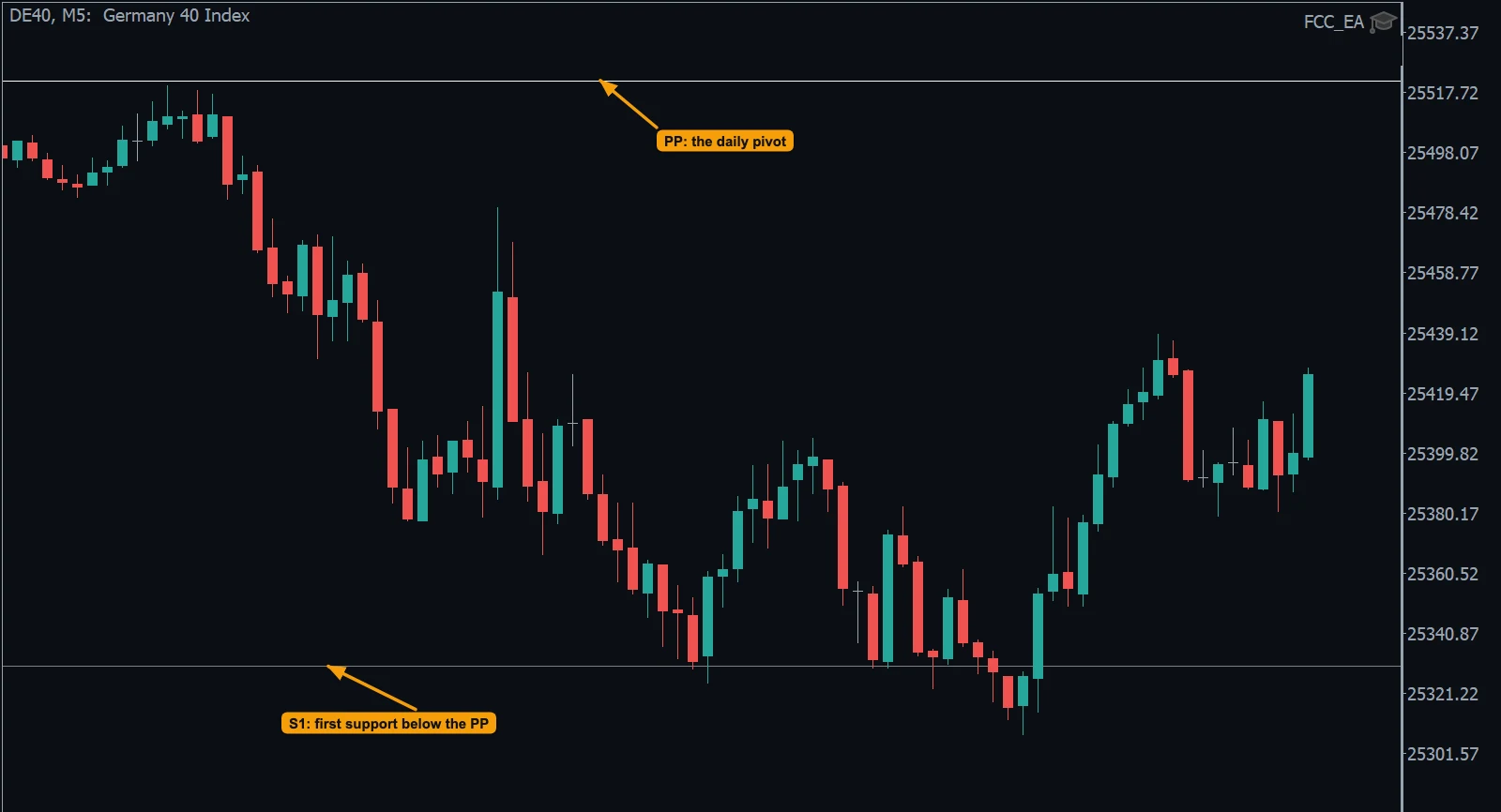
- PP, the daily pivot: (high + low + close) ÷ 3 of the previous day.
- S1, the first support below the PP. Here price fell from the PP to S1 and turned there.
Seeing the levels
Display Pivots? draws the levels of the chosen Pivot Mode, Display Pivot Trigger Lines? draws the actual trigger prices (levels moved by the Level Offset) for the levels you trade.
The pivot as a filter
The Pivot Filter (FILTERS) uses the daily PP for any method: BUY only above it, SELL only below it. Use case: FCC_EA for pivot traders — the levels, touch and reclaim, and the pivot filter on one page.
All settings for this feature Pivot Signals settings → Reclaim settings →
Backtest this setup free in the Strategy Tester, and adjust it whenever the market changes; every feature is in every plan. Backtest results depend on your broker's data and don't guarantee future results.
Check the FAQ or write to us. We reply within one business day.