Algo Trading is off
MetaTrader 5 has several switches that decide whether an Expert Advisor may trade. When one of them is off, the header of the FCC_EA info panel shows -- ALGO TRADING OFF -- in red, and the Experts tab names the reason:
WARNING: Algo Trading is OFF - the Algo Trading button in the terminal is off. The EA cannot open, modify or close positions until it is enabled.When it is fixed, the log shows Algo Trading is ON again and the header returns to normal. No restart is needed.
What stops working
While Algo Trading is off, FCC_EA cannot send anything to the broker: no new trades, and no changes to open ones.
- Stop loss and take profit already set at the broker still work.
- Everything FCC_EA does itself waits: breakeven, trailing, grid, partial close, hedge basket exits and the hard stop, virtual stops and Close All at a set time.
So turn it back on soon, especially with hedge mode or virtual stops.
The four causes
| Reason in the log | Fix |
|---|---|
the Algo Trading button in the terminal is off | Click Algo Trading in the MetaTrader toolbar so it turns green (shortcut Ctrl E). It applies to all charts of the terminal. |
'Allow Algo Trading' is off in the EA properties | Press F7 on the chart, open the Common tab, tick Allow Algo Trading and click OK. It applies to this chart only. |
the broker does not allow EA trading on this account | The broker has switched off Expert Advisors for this account. Ask the broker, or use another account type. |
trading is disabled on this account (investor password or read-only account) | You are logged in with the investor (read-only) password. Log in again with the main (trading) password via File › Login to Trade Account. |
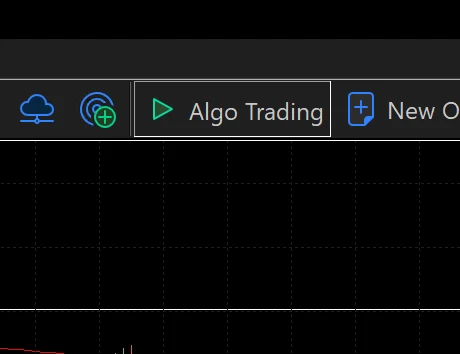
- The Algo Trading button in the toolbar, switched on.
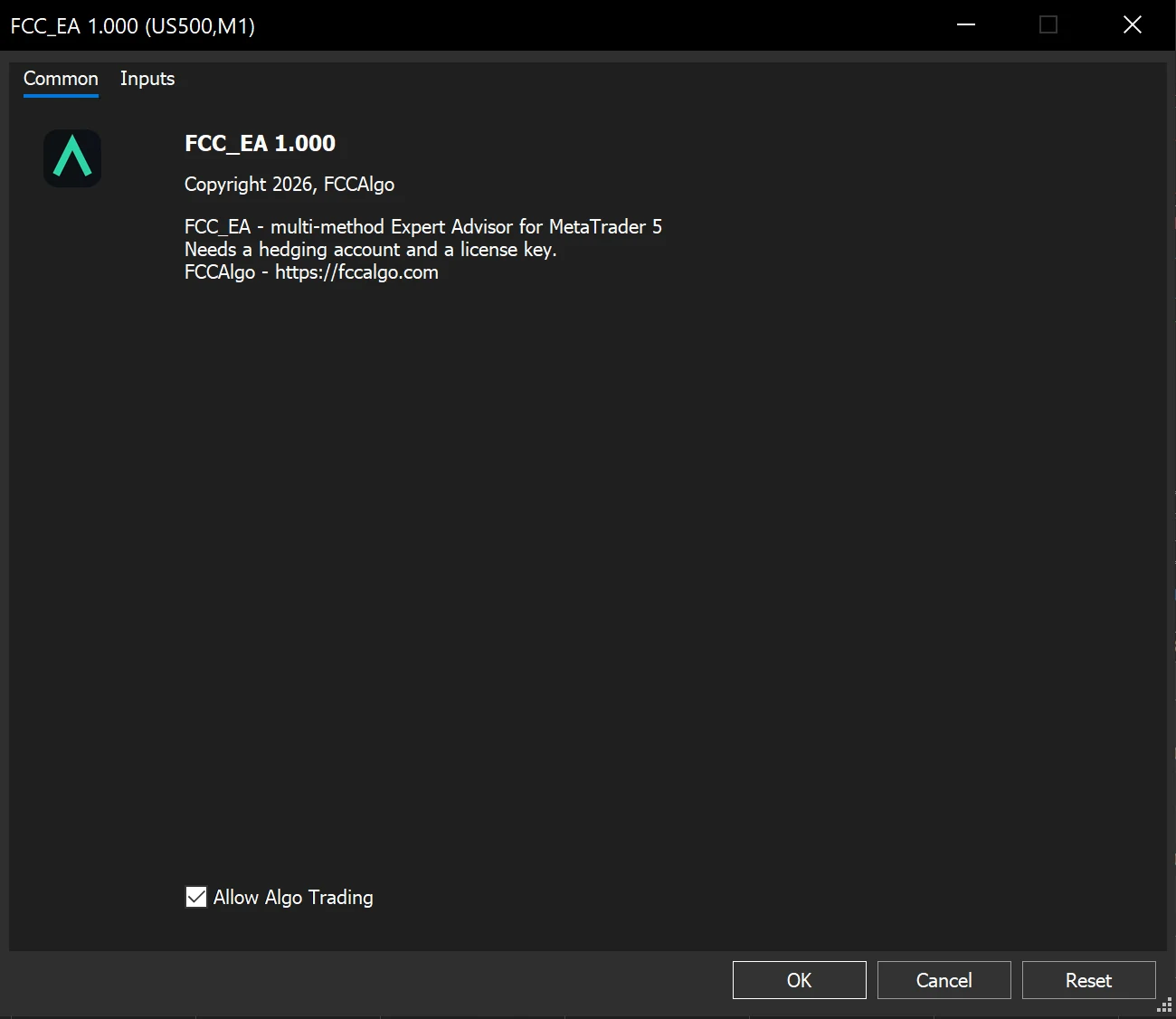
- The Common tab of the FCC_EA properties (F7): Allow Algo Trading ticked.
It keeps turning off by itself
MetaTrader can switch Algo Trading off on purpose. In Tools › Options, Expert Advisors tab, check these boxes:
- Disable algorithmic trading when the account has been changed
- Disable algorithmic trading when the profile has been changed
- Disable algorithmic trading when the charts symbol or period has been changed
With one of them ticked, logging in to another account, switching the profile or changing the chart's symbol or timeframe turns Algo Trading off. Untick them if you want it to stay on, or turn it on again after such a change.
The button also goes off when Ctrl E is pressed by accident.
Still off?
- Check that FCC_EA really runs on the chart: its name at the top right of the chart. See Start-up messages.
- Look in the Journal tab too: MetaTrader itself logs there when Algo Trading is switched on or off.
- More reasons for no trades: No trades are opening.
Backtest this setup free in the Strategy Tester, and adjust it whenever the market changes; every feature is in every plan. Backtest results depend on your broker's data and don't guarantee future results.
Check the FAQ or write to us. We reply within one business day.